You can check proxy IP information with several IP geolocation databases and lookup tools:
Recommended IP lookup tools:
1. SolisProxy Official IP Lookup Tool
Visit: /ip-lookup
- Optimized for SolisProxy services
- Provides accurate IP location and ISP information
- Quickly checks whether a proxy is working
2. IPIPScan
Visit: https://ipipscan.com
- An IP lookup tool operated and recommended by SolisProxy
- Provides IP geolocation, ISP, ASN, and network information
- Helps verify a proxy exit IP and its location
- Simple to use for quick IP checks
3. ipip1.com
Visit: https://ipip1.com
- A widely used IP database
- Provides detailed geolocation, ISP, and ASN information
- Data is updated frequently
- Supports APIs for automated lookups
4. MaxMind GeoIP2
Visit: MaxMind GeoIP Demo
- A well-established IP geolocation database
- Used by many websites and online services
- Provides city-level location data
- One of the reference sources used for comparison
5. IP2Location
Visit: https://www.ip2location.com
- Provides global IP geolocation data
- Supports IPv4 and IPv6
- Includes ISP, domain, and proxy type information
6. WhatIsMyIPAddress
Visit: https://whatismyipaddress.com
- A straightforward IP lookup tool
- Provides IP location, ISP, and hostname information
- Supports proxy detection
How to look up IP information from the command line:
Using cURL:
# Look up a specific IP and format the JSON response
curl -Ls https://ipipscan.com/api/ip/basic/203.0.113.42 | python -m json.tool
Using Python:
import requests

resp = requests.get("https://www.ipipscan.com/api/ip/basic")
print(resp.json())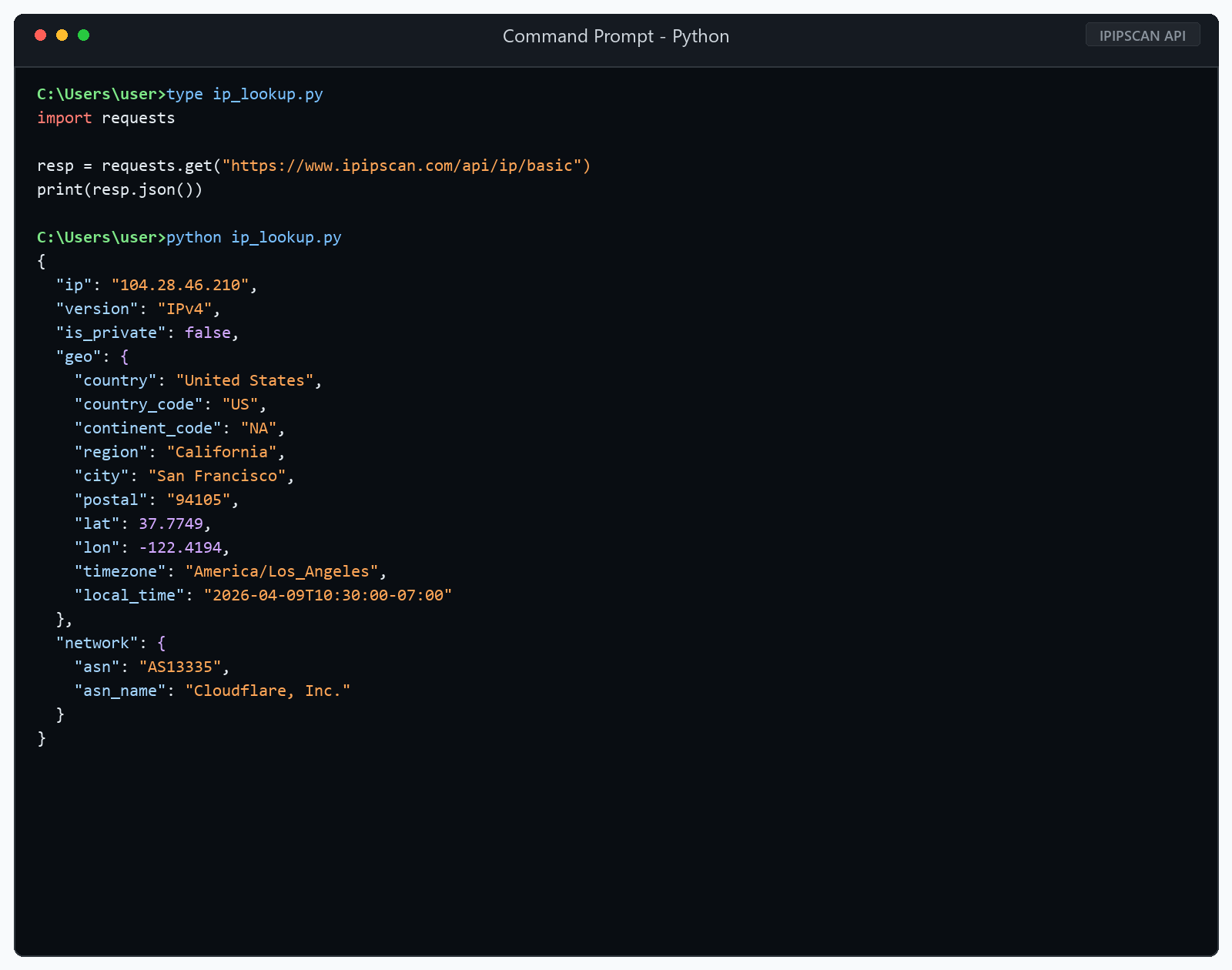
What information does an IP lookup provide?
- IP address: The complete IPv4 or IPv6 address
- Country: The country associated with the IP
- Region/State: The geographic region associated with the IP
- City: The city-level location
- ISP: The internet service provider
- ASN: The autonomous system number
- Time zone: The time zone associated with the IP
- Coordinates: Approximate latitude and longitude
- Proxy type: Whether the IP is identified as a proxy, VPN, or another type
Steps to verify that a proxy is working:
- Open an IP lookup website without the proxy and record your current IP address.
- Configure and enable the proxy.
- Open the IP lookup website again.
- Confirm that the displayed IP differs from your original IP.
- Confirm that the IP location matches the region you selected.