Open the reseller page
Go to the SolisProxy reseller page and select “Contact support to apply.”
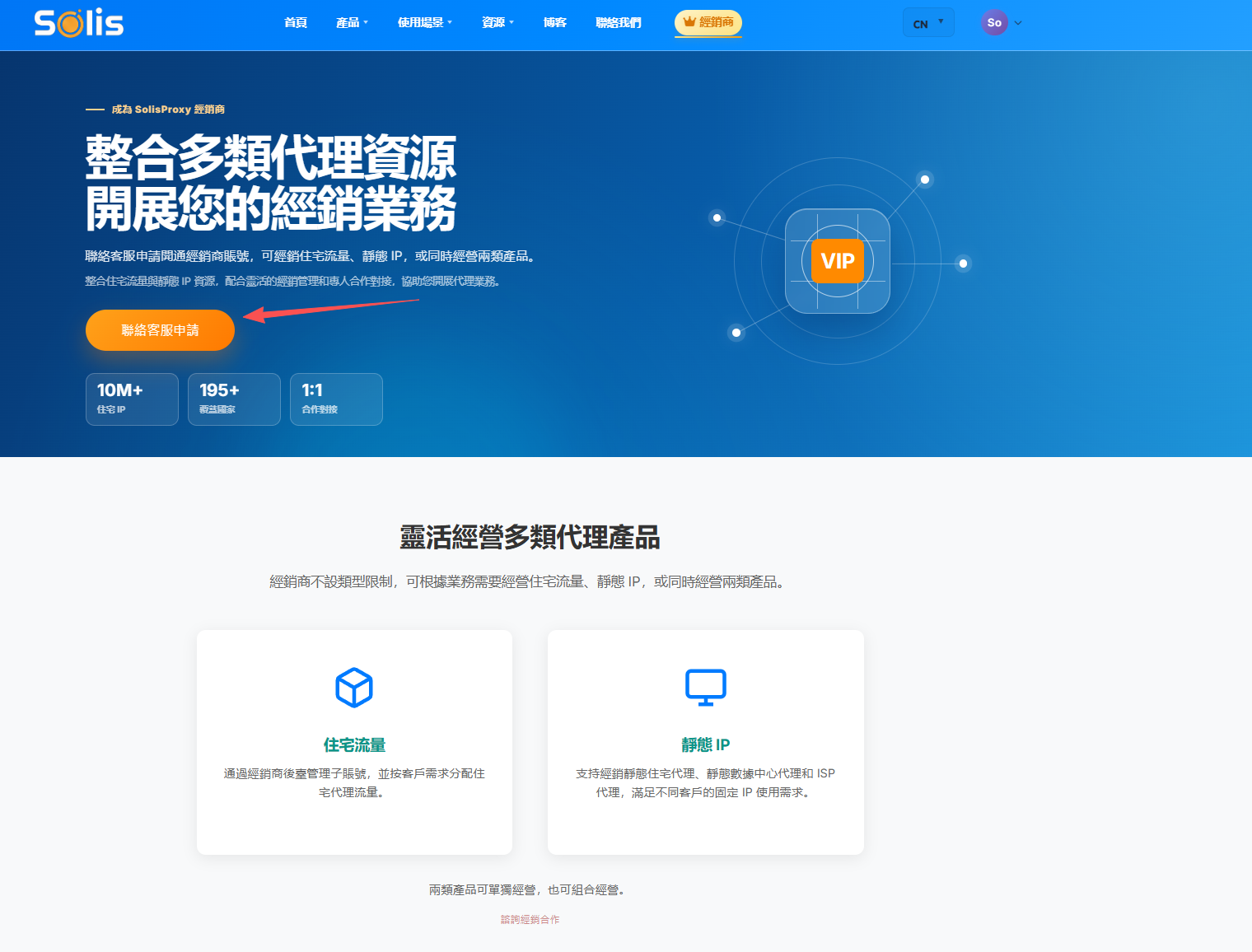
Contact SolisProxy support to apply for reseller access and confirm the cooperation plan. Product types use different fulfillment paths, so follow the workflow that matches the product.
Support activates residential reseller access. After activation, create child accounts and allocate residential proxy traffic according to each customer's needs.
Go to the SolisProxy reseller page and select “Contact support to apply.”
Contact support through WeCom, customer service QQ, Telegram, or Skype and describe your reseller requirements.
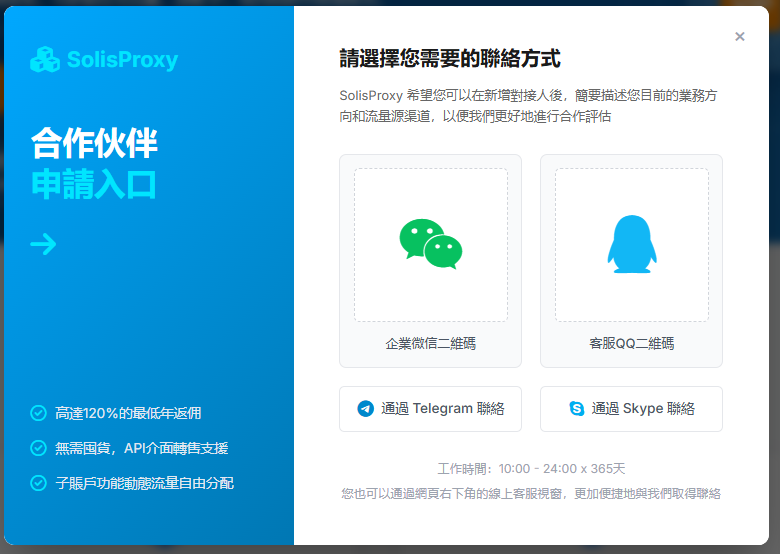
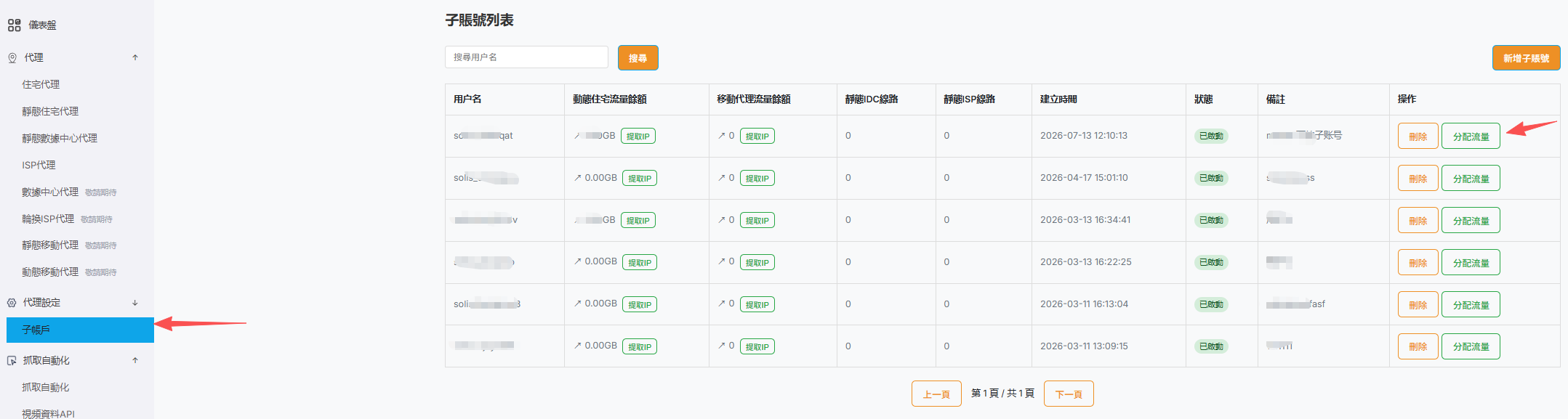
After support confirms your requirements and activates the account, sign in to the account center and open “Proxy Settings → Child Accounts.” Create a child account first if needed.
Find the target child account, select “Allocate Traffic,” enter the residential proxy traffic amount, and confirm.
The following products do not use residential traffic allocation. Create their orders directly from the corresponding product page or the account center.
We recommend adding the required funds to your account balance before ordering so you can pay with the balance.
Tell support the product type, quantity, and reseller requirements to confirm the available reseller offer.
Open the corresponding product page, or sign in to the account center and select the product, then create the order directly.
Choose balance payment at checkout to receive more favorable reseller terms. The final offer is subject to support confirmation.
Static residential, static datacenter, and ISP proxy orders must be created directly. Do not use the residential child-account “Allocate Traffic” action.